
MNew email
Write a reply to the quote request
NB
Nordlund ConstructionQuote, 3 lines
Draft readyAgentic Operations, for companies of 10 to 200 people
AI agents for companies that want to automate workflows: quotes, status reports, reminders, approvals and reconciliation between systems. The agents handle the information between your tools, one step at a time and with a fixed price per step.
10200 people
The first call is 30 minutes and free of charge.
Your tools
The agent
Reading the inbox…
What you get
You read and decide. The agent does the legwork.
Illustration: a screen where the agent finishes emails, meetings, drafts and an invoice basis while you scroll.
Friday afternoon. Someone copies figures from one system into another, someone chases a sign-off by email, and you scroll through three chat groups to understand where the week stands. Everything is somewhere. Nothing connects.
The state of things gathered from email, chat and systems into one overview, without anyone having to ask.
Client updates, reminders and translations written by the agent. A person reads and sends.
From quote to plan to invoice. Sign-offs are chased automatically and nothing sits in an inbox.
The same data in several systems kept in step, with deviations flagged before they turn into errors.
Pick a job to see what the agent does, what you still decide and what lands on your desk. The examples are invented.
Five jobs
The agent does
Writes the first draft of the quote from the enquiry, past assignments and your price list.
You decide
You review scope, price and terms before anything is sent.
What lands on your desk
The examples show what it can look like. They are not real runs or clients.
What they share: several systems, many handovers and a lot done by hand in between.
We map how work really flows: systems, handovers and where the time goes. Fixed price. You get a map and a price for the next step.
One real workflow and an agent that helps. You use it from the first day.
We review the result together. You decide whether we continue, change course or stop.
More workflows and more people, at the pace it actually gets used.
Examples from real builds. Names and client data are hidden or replaced with demo data.
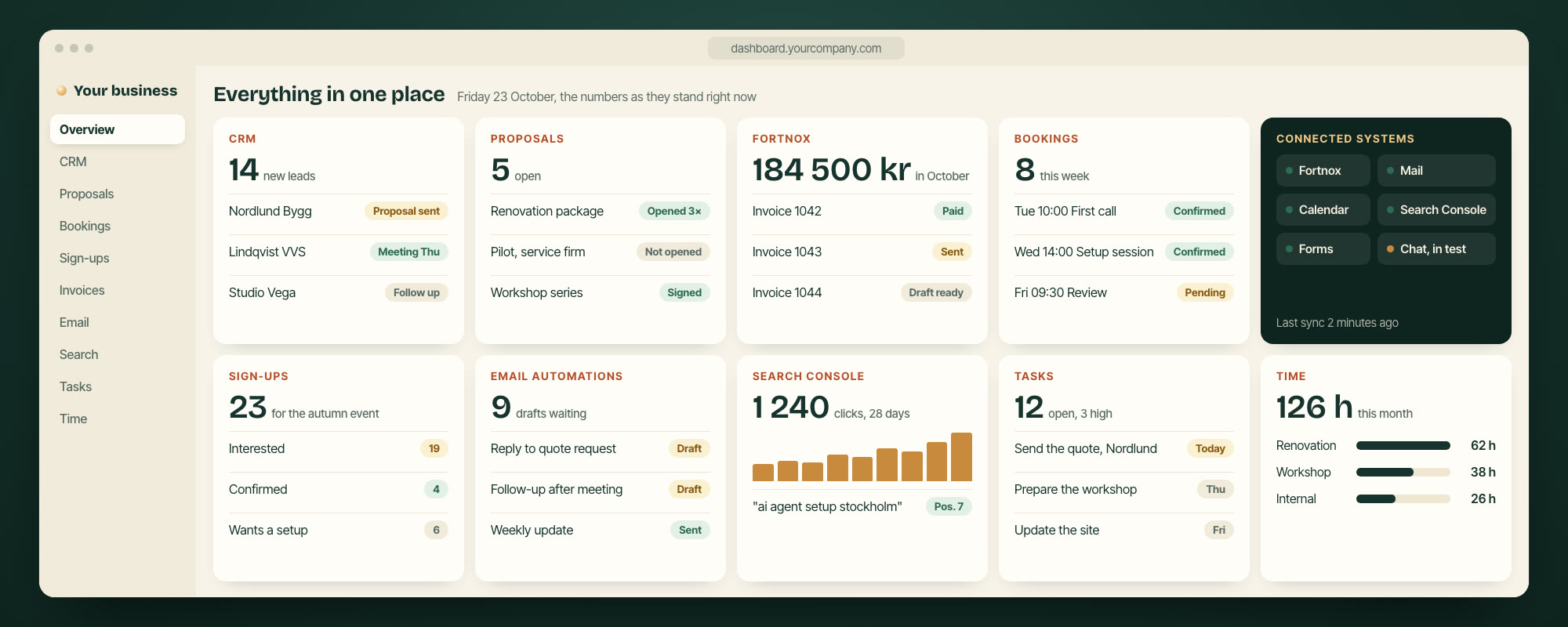
Fortnox, bookings, sign-ups, email automations, CRM, proposals, search data, tasks and time logging in one place. Shown with demo data.
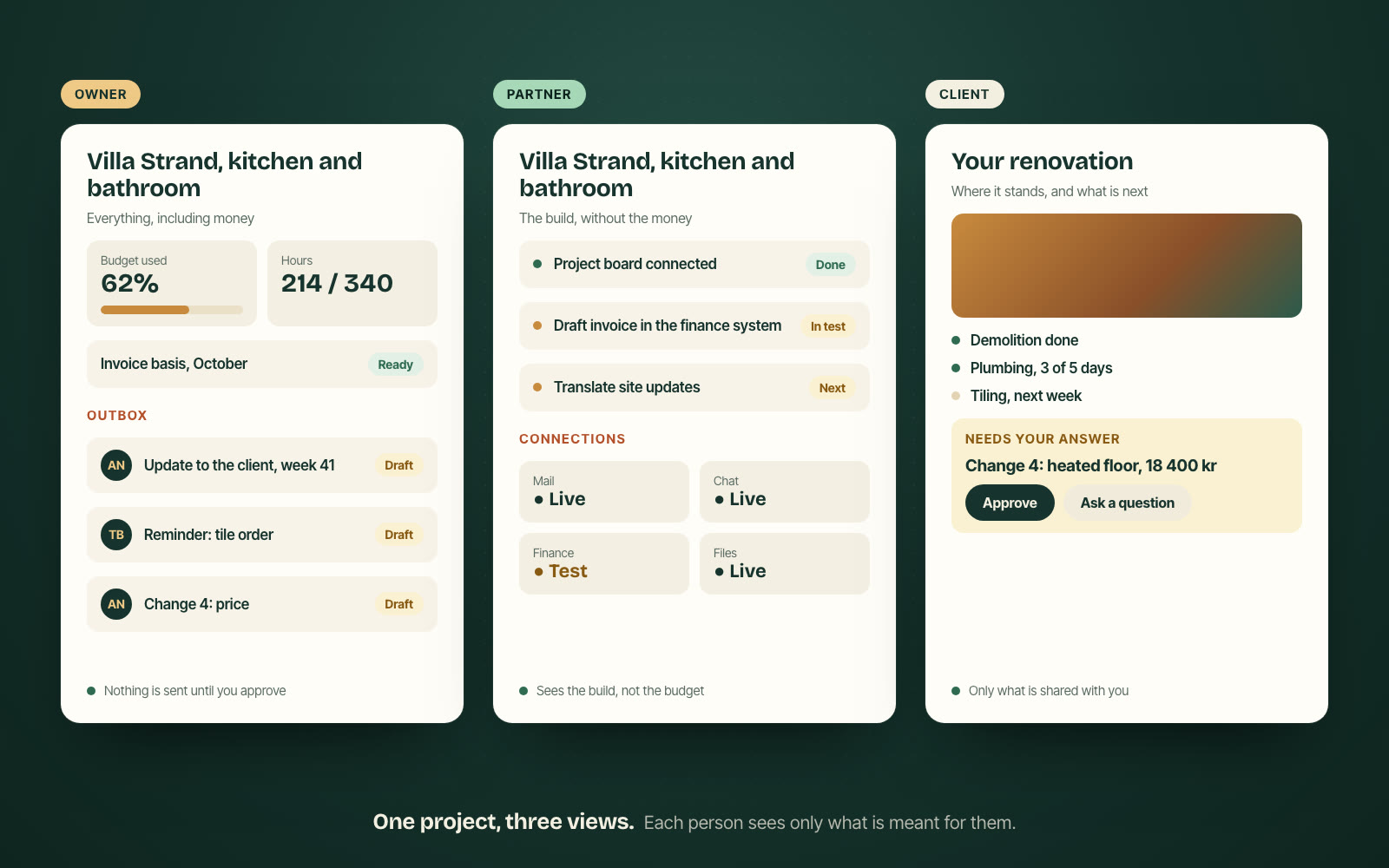
The owner, the partner and the client each see their own view of the same project. The automations only draft.
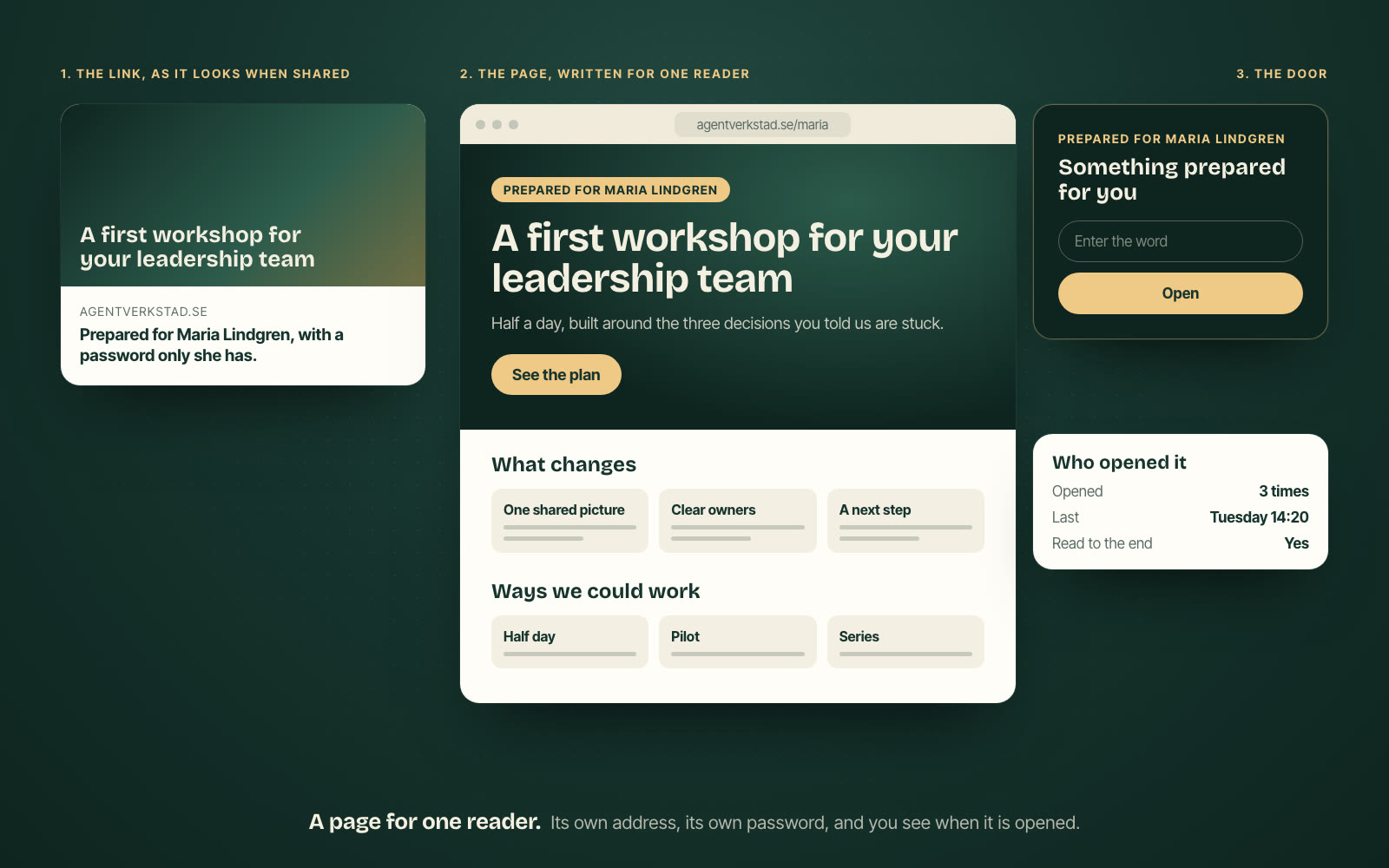
Its own address, its own password and a preview, and you see when it is opened.
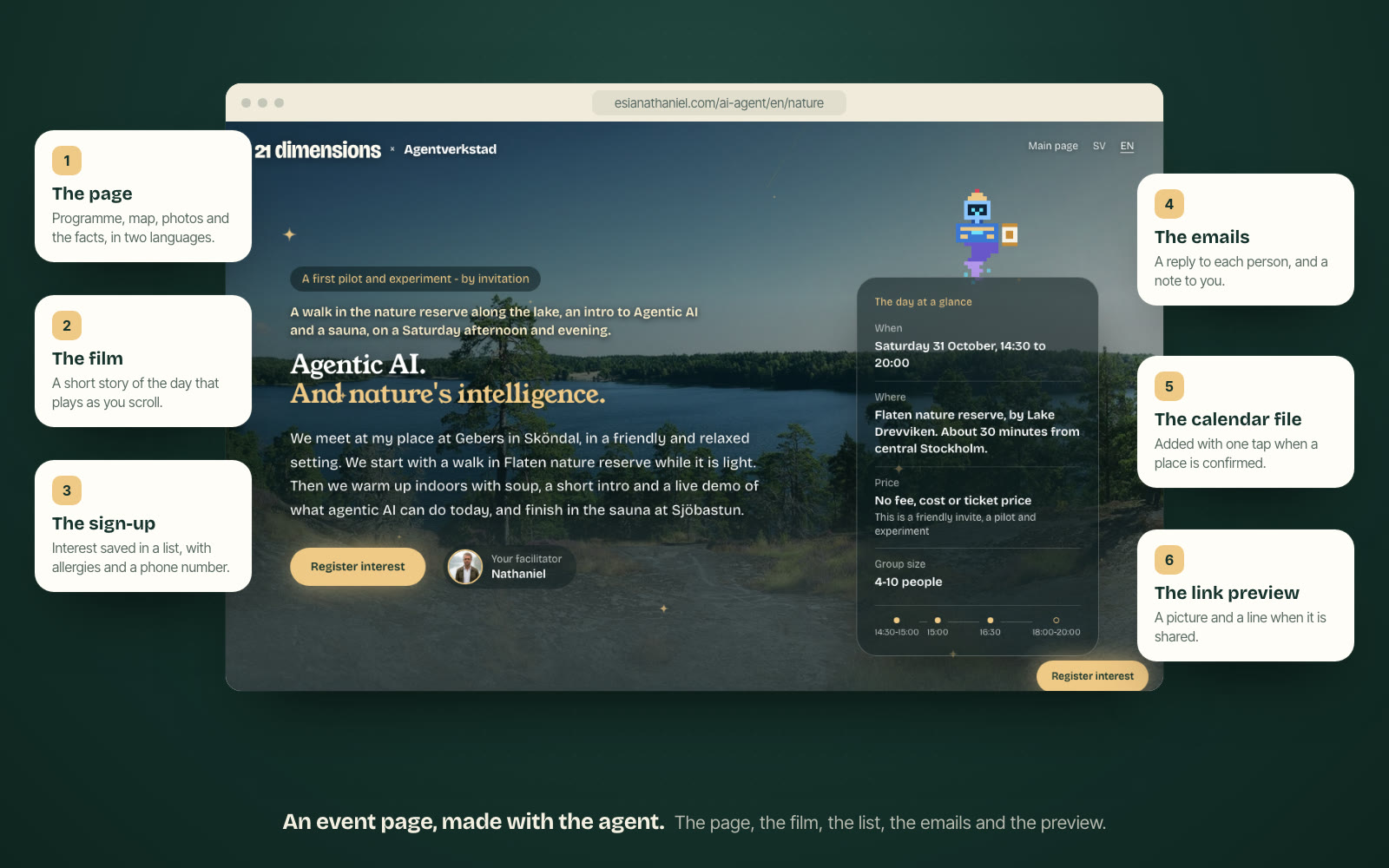
The page, the film, the sign-up list, the emails and the share picture. Made with the agent.
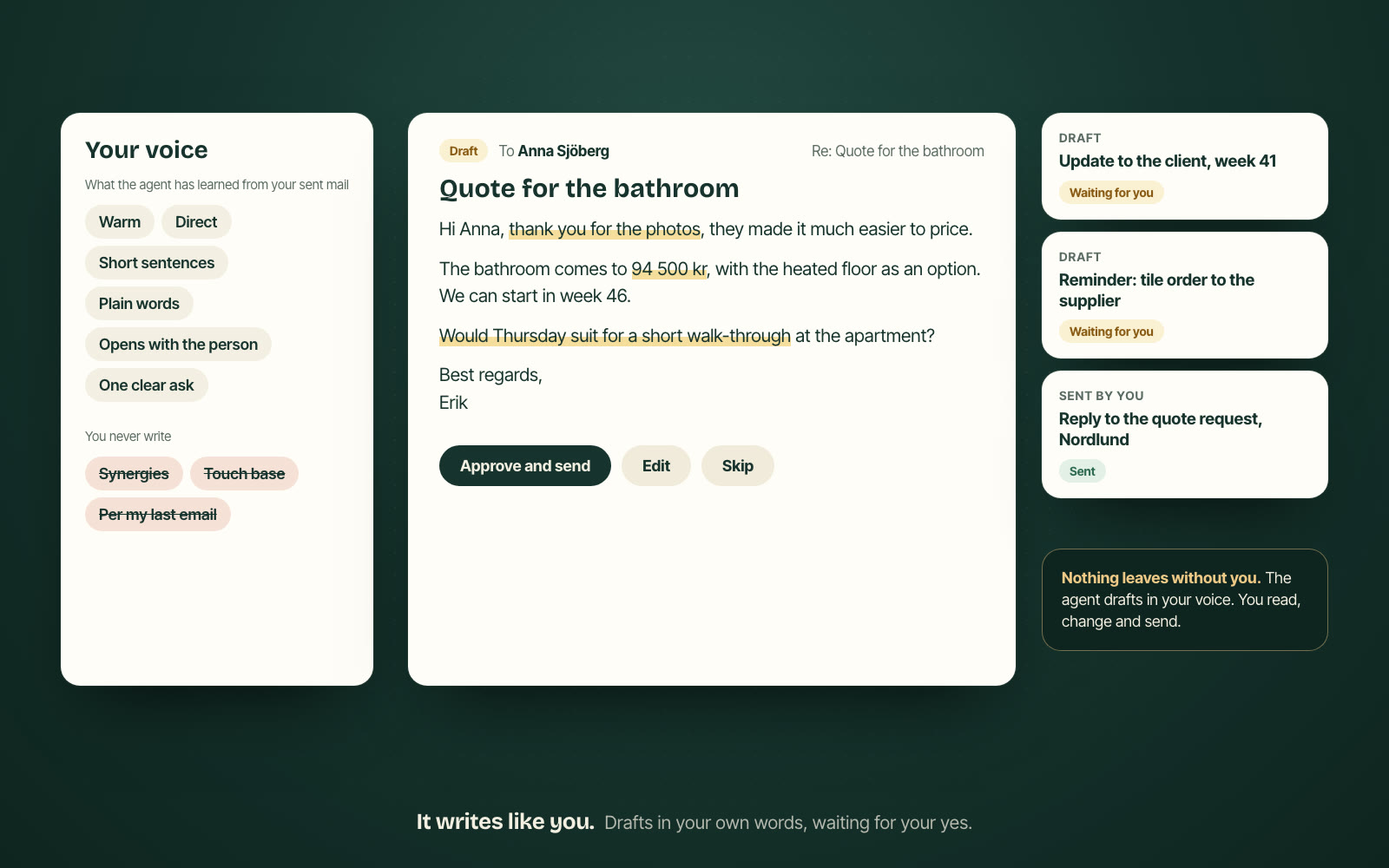
Drafts in your own voice, waiting for your yes. Nothing is sent until you approve.
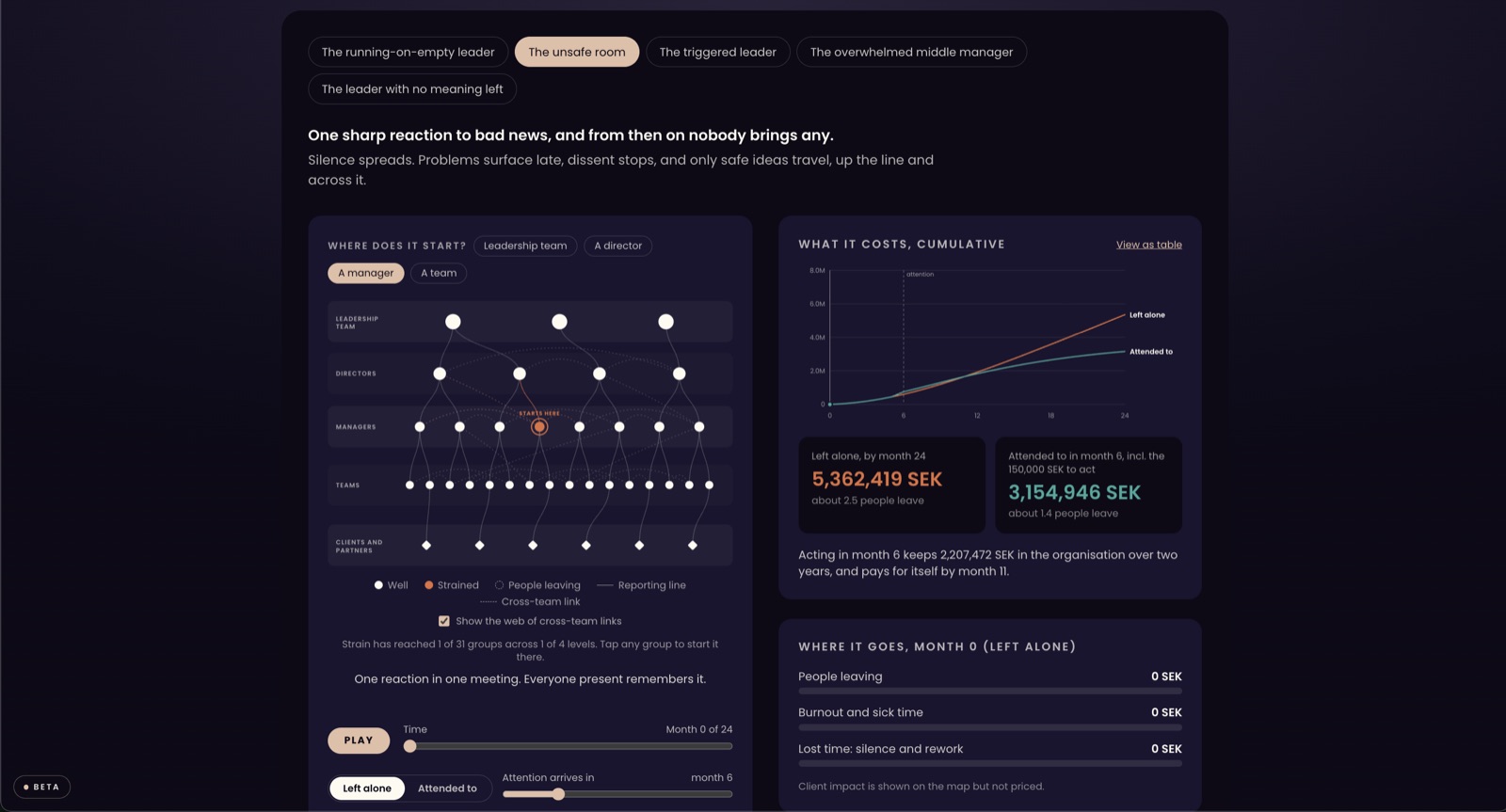
Shows how strain spreads through an organisation and what it costs over two years.
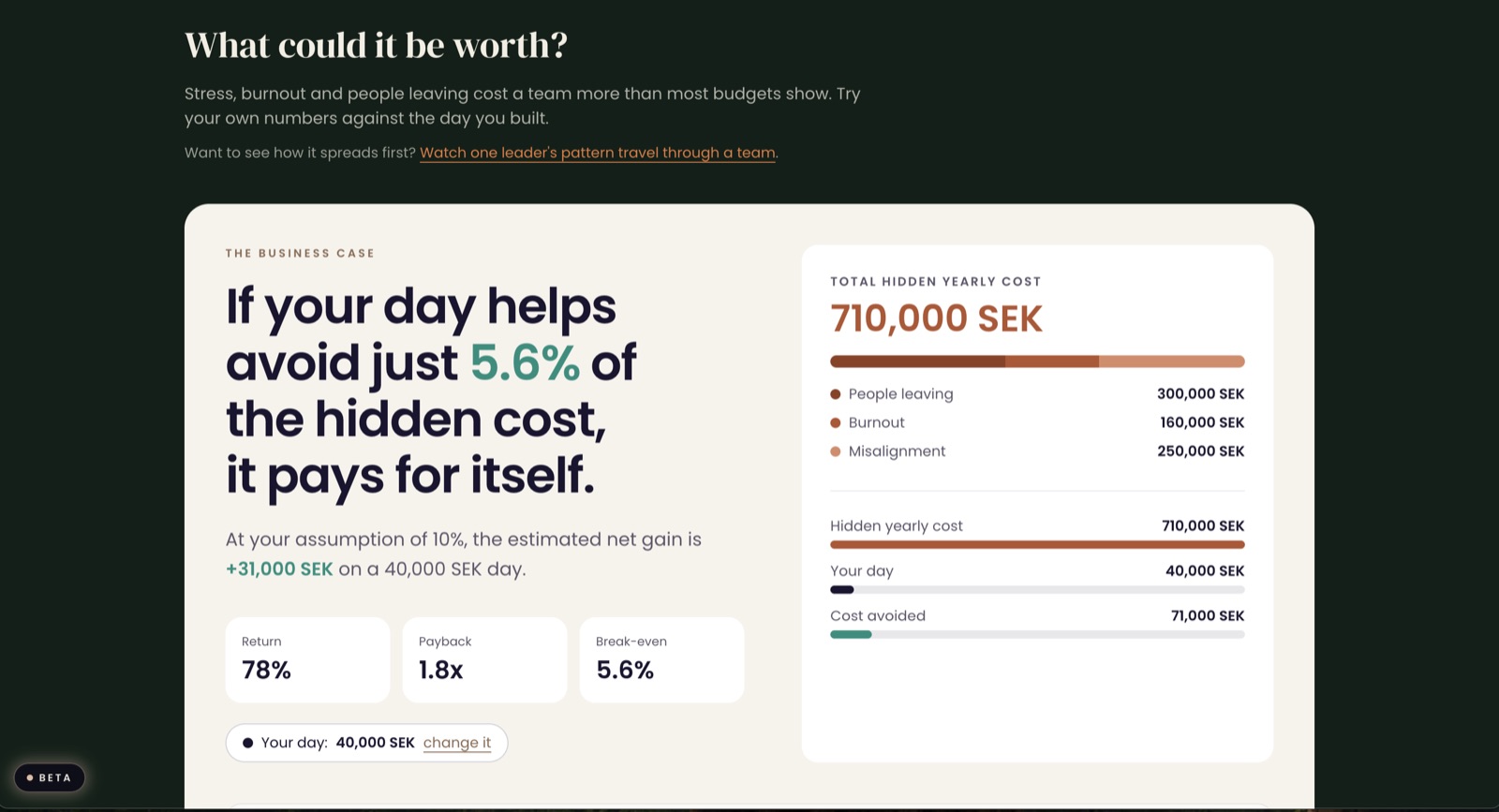
Visitors enter their own numbers and see when an effort pays for itself.
No. We build on top of them and remove the manual work between them.
It depends on what you use. Discovery decides what gets connected and in what order, and we promise nothing we have not tried in your setup.
An off-the-shelf tool asks you to fit your work to the tool. We build around how you work, and you do not pay for features you do not use.
That is why we start with a single workflow and a stop point after every step. You see what works before you go further.
Fixed price per step, with a cap. New requests go through a clear change process.
Think weeks, not years. The length is set in discovery.
That is the first design question. Short messages in the right language, in tools they already have, with no new login.
Workflows and rules are documented as we build, so they can be changed. You can change them yourselves or with our help.
We sign a data processing agreement before we begin. See the page on trust.
An AI agent is a program that reads, sorts and writes in your tools and does one defined job for you, for example gathering the state of things from email and systems or writing a draft. A person reviews and decides.
The ones where someone moves information between systems, writes the same kind of text again and again or chases approvals. Quotes, status reports, reminders, approvals and reconciling time and invoices are common first workflows.
A fixed price per step, with a cap. The price of the next step is set in the mapping, before the step starts.
Prefer to read first? Where to start with AI in a mid-size company
More on the work: Automate admin without changing systems, What is an AI agent and AI consultant for companies.
Book a first call straight away, 30 minutes and free of charge. Or leave a few lines and we will get back to you.
Fetching available times …